The Better Mac Mini Alternative for AI
67 TOPS vs 38 TOPS. €549 vs €699+. 7-15W vs 40-65W.
Thinking about using a Mac Mini M4 for AI? ClawBox is purpose-built for AI assistant workloads — more AI power, lower cost, ready in 5 minutes.
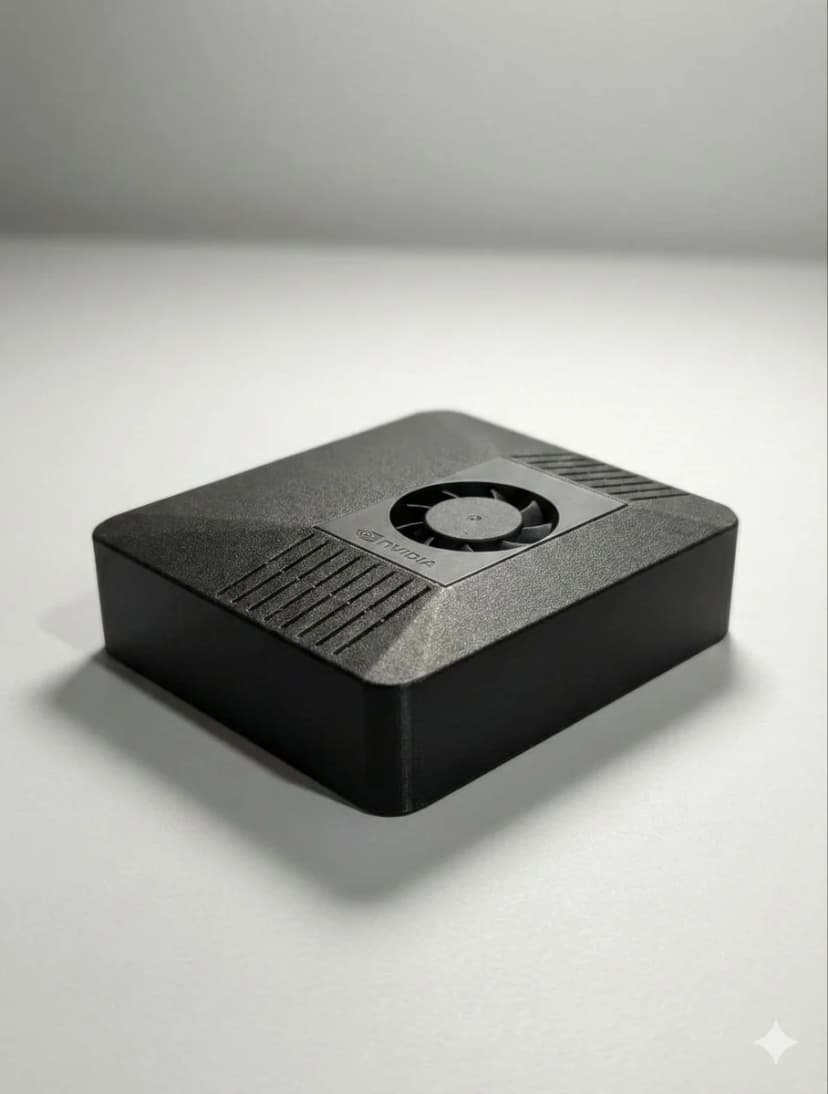
Head-to-Head Comparison
See where each option excels
| Feature | 🦞 ClawBox | 🍎 Mac Mini M4 |
|---|---|---|
| AI Performance | ✓67 TOPS | 38 TOPS Neural Engine |
| GPU | ✓1024 CUDA cores | Apple Silicon (no CUDA) |
| Price | ✓€549 | €699+ |
| 24/7 Operation | ✓Designed for it | Possible but overkill |
| Purpose | ✓Dedicated AI assistant | General desktop computer |
| Messaging Integration | ✓Telegram, WhatsApp, Discord | Manual setup |
| Browser Automation | ✓Full Playwright support | Manual setup |
| Proactive Monitoring | ✓Built-in heartbeat system | Manual setup |
| Pre-configured | ✓Yes, ready in 5 min | Manual setup required |
| Power Draw | 15W typical | 40-65W |
| Size | Compact | ✓Desktop |
| Storage | 512GB NVMe | 256GB base |
Key Differences
Why Choose ClawBox
- ✓ Purpose-built for AI assistant tasks
- ✓ Pre-configured with OpenClaw — ready in 5 minutes
- ✓ 67 TOPS NVIDIA AI acceleration
- ✓ 15W power consumption for 24/7 operation
- ✓ Half the price of Mac Mini M4
Why Choose Mac Mini
- → General-purpose desktop computer
- → Requires manual setup and configuration
- → No CUDA support (Apple Silicon only)
- → Higher power consumption (40-65W)
Choose ClawBox When...
- ✓ You want a dedicated AI assistant
- ✓ You need 24/7 always-on operation
- ✓ You want plug-and-play setup
- ✓ Budget is a consideration
- ✓ You don't need a general-purpose desktop
Choose Mac Mini When...
- → You need a general-purpose Mac desktop
- → You're already in the Apple ecosystem
- → You need macOS-specific apps
- → You want to use it as your main computer
Frequently Asked Questions
Is Mac Mini M4 good for running AI locally?▼
The Mac Mini M4 has a 38 TOPS Neural Engine, which is decent for AI but designed for Apple's ML frameworks, not general LLM inference. For running open-source models like Llama, you'll need to use CPU inference or limited MPS acceleration. ClawBox's NVIDIA Jetson with 67 TOPS and 1024 CUDA cores offers native CUDA support for all major AI frameworks.
Why is ClawBox cheaper than Mac Mini for AI?▼
Mac Mini M4 starts at €699 but is designed as a general-purpose desktop computer. ClawBox at €549 is purpose-built for AI assistant workloads — it includes pre-configured OpenClaw software, messaging integrations (Telegram, WhatsApp, Discord), browser automation, and 24/7 operation out of the box. You're not paying for desktop features you don't need.
Can I run my AI assistant 24/7 on Mac Mini?▼
Technically yes, but Mac Mini draws 40-65W under load and is designed as a desktop, not a headless server. ClawBox uses only 7-15W and is built for always-on operation with proactive monitoring, heartbeat systems, and auto-recovery. Running a €699+ Mac Mini 24/7 for AI is like using a sports car for grocery runs.
Does Mac Mini support CUDA for AI models?▼
No, Mac Mini uses Apple Silicon which doesn't support CUDA. Most AI models and frameworks are optimized for NVIDIA CUDA. While Apple's MLX framework exists, model support is limited compared to the CUDA ecosystem. ClawBox's NVIDIA Jetson Orin has 1024 CUDA cores and full compatibility with PyTorch, TensorFlow, and ONNX.
What's the setup time difference between ClawBox and Mac Mini for AI?▼
ClawBox: 5 minutes — plug in, connect to WiFi, scan QR code to link Telegram/WhatsApp. Mac Mini: several hours to days — install Homebrew, Python, llama.cpp or Ollama, configure messaging bots, set up browser automation, configure for headless operation, and troubleshoot compatibility issues. ClawBox is ready for AI assistant use out of the box.
Ready to Switch?
Stop comparing, start building. ClawBox is plug-and-play AI hardware — ready in 5 minutes.
✓ Secure payment via Stripe